Hotline: 1-866-986-BYOD

What is Mobile Device Management (MDM)?
By the Codeproof Editorial Team · Reviewed by the Codeproof MDM Platform Engineering team · Last updated · 22 min read
Fact-checked against Apple Platform Deployment, Google Android Enterprise, and Microsoft Learn documentation. The reviewing team builds the production Windows MDM server, Android Enterprise integration, and Apple MDM service that ship in Codeproof Cyber Device Manager.
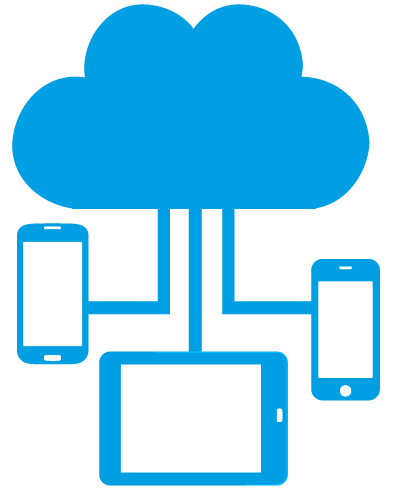
Mobile Device Management (MDM) is cloud software that lets IT enroll devices, apply security policies, manage apps and settings, monitor device health, and take remote actions (lock, locate, wipe) to protect company data on employee devices across Android, iOS/iPadOS, macOS, Windows, and Linux. For a selection framework, see the MDM Buyer’s Guide.
- ⭐ Rated 4.9/5 across 2,000+ reviews
- 🏆 Trusted by enterprises & MSPs
- 🌐 6 operating systems, 1 console
Mobile Device Management (MDM) Software: How it works
- Enroll devices with Zero-Touch (Android Enterprise), Apple Business Manager, QR code, or other automated flows
- Apply security policies, Wi-Fi, VPN, and certificate profiles from a cloud console
- Push required apps and updates; control permissions remotely
- Separate corporate data from personal data on BYOD devices
- Monitor inventory, compliance, and health in real time
- Auto-remediate or restrict access for non-compliant devices
- Lock, locate, or wipe lost, stolen, or decommissioned devices
- Scale management across thousands of devices in multiple locations
Why is Mobile Device Management important?
Three forces have made MDM non-optional for any organization that issues or accepts mobile devices for work.
- The workforce is mobile by default. Smartphones, tablets, and laptops are now the primary work computers for most knowledge workers, frontline workers, and field teams. Without MDM, IT has no consistent way to enroll, secure, or recover these devices.
- Attackers target mobile. Verizon's annual Data Breach Investigations Report has consistently identified mobile phishing, malicious apps, and unmanaged endpoints as top initial-access vectors. NIST's mobile device security publications (NIST SP 1800-21 and SP 1800-22) explicitly recommend enterprise MDM as a foundational control.
- Regulators expect device-level controls. HIPAA, GDPR, PCI DSS 4.0, SOC 2, ISO 27001, CJIS, and FERPA all assume that organizations can prove which devices touch sensitive data and that those devices are configured to defined baselines. MDM is how you produce that evidence.
Mobile by the numbers
- ~60% of the world's internet traffic comes from mobile devices (StatCounter).
- The average enterprise employee uses 2 to 3 work devices across smartphone, tablet, and laptop (IDC).
- $4.88 million is the global average cost of a data breach (IBM Cost of a Data Breach 2024).
- Organizations with strong endpoint management programs detect and contain breaches weeks faster than those without (Verizon DBIR).
- Gartner forecasts that by 2027 over 70% of enterprise endpoint management buyers will require a single Unified Endpoint Management (UEM) platform covering mobile, desktop, and IoT.
- Android 15 and Android 16 policy coverage updates
- iOS 18 and iOS 26 policies added
- Windows MDM 2.0: agent-based MDM with built-in OMA-DM enrollment in a single signed MSI
- Per-user vs per-device enrollment for Windows (BYOD vs corporate-owned)
- Native Restrictions CSP: USB lockdown, OneDrive personal block, Cortana off, telemetry limits, Developer Mode block, Remote Assistance off
- BitLocker drive encryption with Azure AD recovery escrow
- VPN v2 (IKEv2 + EAP-MSCHAPv2) with split-tunnel or force-tunnel and per-app VPN
A short history of Mobile Device Management
Mobile Device Management emerged in the late 2000s as enterprise IT scrambled to manage the wave of corporate-issued BlackBerry, Symbian, and Windows Mobile handsets. The first generation of MDM tools focused on a narrow set of capabilities: passcode enforcement, remote wipe, and email policy delivery via Exchange ActiveSync.
The release of iOS 4 in 2010 and the publication of Apple's MDM protocol made it possible for third-party MDMs to push profiles, install apps, and query device inventory in a standardized way. Android followed with the Device Administration API and, in 2014, Android for Work (now Android Enterprise), which introduced the Work Profile model that still powers most BYOD deployments today.
Microsoft brought Windows 10 into the MDM era with built-in OMA-DM / SyncML support, allowing the same console that managed phones to also manage laptops. That convergence drove the industry's shift from MDM to Enterprise Mobility Management (EMM), which added app and content management, and then to Unified Endpoint Management (UEM), which covers mobile, desktop, and IoT in one platform.
Today's MDM market spans agent-based and protocol-based management, AI-assisted compliance, zero-trust posture checks, and managed configurations that let IT push hundreds of app settings without ever touching a device. The lines between MDM, EMM, and UEM have blurred to the point that most analysts now refer to the whole category as endpoint management.
How MDM actually works under the hood
A modern MDM platform looks simple from the console, but several moving parts have to line up on each device. Understanding the architecture helps IT debug enrollment problems, plan certificate renewals, and reason about scale.
1. Enrollment and identity
A device contacts the MDM enrollment endpoint, proves it is who it claims to be, and receives a device-specific certificate. On iOS and macOS, this is the Apple MDM protocol over HTTPS. On Android, it's an Android Enterprise enrollment flow (token, QR, NFC, or zero-touch). On Windows, the device speaks the OMA-DM / SyncML protocol Microsoft ships natively. The certificate is the device's long-lived identity for every subsequent management command.
2. The push channel
MDM is poll-and-pull, but the poll only happens when the device gets a push. Each OS uses its own channel: APNs (Apple Push Notification service) on iOS/macOS, FCM (Firebase Cloud Messaging) on Android, and WNS (Windows Notification Service) on Windows. When the admin pushes a policy in the console, the MDM server sends a wake-up to the right channel; the device then checks in over HTTPS and pulls the command queue.
3. Configuration profiles and CSPs
Policies are not arbitrary scripts. They're structured payloads the OS knows how to apply. iOS and macOS use configuration profiles (signed XML). Android uses Managed Configurations for apps and Device Owner / Work Profile policies for the device. Windows uses Configuration Service Providers (CSPs): small policy modules like BitLocker, Firewall, Defender, Wi-Fi, VPN v2, and Restrictions. The MDM server's job is to translate the admin's intent in the console into the right payload for each OS.
4. App delivery
Apps are not bundled into the MDM payload. They are referenced from the store and delivered through the OS's own install pipeline (Managed Google Play, Apple Apps and Books / VPP, Microsoft Store, custom MSI/PKG). The MDM tells the device "install this app and apply this managed configuration." This separation is why MDM apps update automatically with the store and why managed configurations (key/value pairs the IT admin sets) can change app behavior without redeploying.
5. Inventory and posture
Devices report inventory (OS version, model, IMEI, installed apps, compliance status, location for company devices) back to the MDM at check-in. Posture and compliance engines run on the server: if a device falls out of compliance (encryption disabled, OS too old, jailbreak detected), the MDM can quarantine it, alert IT, trigger a remediation script, or revoke conditional access tokens issued through an IdP integration.
6. Agent vs protocol
Some platforms (Codeproof, Hexnode, ManageEngine, Workspace ONE) ship a lightweight on-device agent in addition to the OS-native MDM channel. The agent unlocks capabilities the native protocol does not expose: rich inventory, remote scripts, granular patch deferrals, kiosk shells, and real-time actions. For Windows specifically, Codeproof bundles agent and native OMA-DM enrollment into a single signed MSI: one install, two management channels.
MDM Benefits
- Stronger security: Enforce consistent policies, encrypt devices, and respond quickly to incidents
- Lower IT effort: Reduce manual setup with automation and cut help desk tickets
- Compliance readiness: Meet HIPAA, GDPR, PCI, SOC with standardized controls
- Better user experience: Deliver apps, updates, and settings seamlessly
- Cost savings: Lower downtime and IT overhead
- Full visibility: Track health, usage, and GPS location from a single dashboard
- Data protection: Remotely lock or wipe devices to prevent leaks
- Scalability: Onboard 10 or 10,000 devices with the same process
Mobile Device Management Features
Codeproof is a cloud-based MDM (also referred to as SaaS MDM or cloud MDM software) that gives IT, security, and operations teams complete control of every mobile and desktop endpoint. Capabilities span device management, application management, content management, identity management, and mobile threat defense (MTD).
Device management
- Centralized device enrollment for company-owned (COBO, COPE, COSU) and BYOD fleets
- OS update management and patch deferral for iOS, iPadOS, Android, Windows, and macOS
- Remote control and remote view for technical support
- Hardware inventory, asset tracking, and serial / IMEI lookup
- Lost Mode, Activation Lock management, and Factory Reset Protection (FRP)
- Granular device groups, dynamic tags, and policy inheritance
Mobile security & threat defense
- Mobile threat defense (MTD): jailbreak / root detection, Play Integrity, Verify Apps
- Conditional access, quarantine, and automated remediation for non-compliant devices
- Device encryption, passcode policy, and secure lock screen enforcement
- Per-app VPN, Wi-Fi, APN, and SCEP/PKI certificate management
- Mobile data leak prevention (DLP): copy/paste, screenshot, and clipboard controls
- Web filtering, allowlists, and safe browsing for managed browsers
Mobile application management (MAM)
- Silent app install, update, and uninstall via Managed Google Play and Apple Apps and Books
- Managed app configuration and OEMConfig for rugged Android (Zebra, Honeywell, Samsung)
- Public, private, and enterprise app catalogs
- App allow / deny lists and app wrapping-style controls
- Volume Purchase Program (VPP) license management for Apple
Geofencing & location
- Geofencing with location-aware policy triggers
- Real-time GPS tracking and historical location reports
- SiteSecure camera blocking inside defined zones
- Distracted-driving controls for fleet and delivery teams
Kiosk & lockdown
- Single-app and multi-app kiosk mode for dedicated devices
- Custom home screen, branded wallpaper, and locked launcher
- Lock task mode on Android, autonomous single app mode on iOS
- Disable hardware buttons, USB, and power options
Automation & integrations
- Modern REST MDM API and webhooks for automation
- SSO via SAML / OAuth and SCIM user provisioning
- Active Directory, Azure AD / Entra ID, and Google Workspace integration
- Apple Push Notification service (APNs) certificate setup and renewal
- Compliance reporting, scheduled exports, and SIEM-ready event feeds
Who Needs Mobile Device Management Software?
Whether you manage a small fleet of phones or 100,000+ endpoints, an MDM platform reduces risk and IT effort:
- Small businesses (SMB MDM) looking for affordable, fast-to-deploy mobile device management software with no servers to install
- Enterprise IT teams seeking enterprise MDM with RBAC, audit logs, multi-region hosting, and SSO
- Managed Service Providers (MSPs) using a multi-tenant MDM portal with white-label options and consolidated billing
- Schools and districts needing CIPA / FERPA / COPPA-aligned content filtering and 1:1 device programs
- Healthcare organizations requiring HIPAA-aligned controls for shared tablets, EHR access, and clinician devices
- Logistics and transportation fleets enforcing ELD compliance, driver kiosks, and ruggedized handhelds
- Government agencies aligning with CJIS, NIST SP 800-53, and FIPS 140-2
MDM vs EMM vs UEM
| Category | Focus | Common uses |
|---|---|---|
| MDM | Device and policy control | Phones/tablets, kiosk, COBO/COPE, BYOD work profile |
| EMM | Apps, content & identity | App distribution, secure content, SSO/MFA |
| UEM | Unified control | One console for iOS, Android, Windows, macOS & Linux |
Need desktops and servers as well? See our UEM platform.
Enrollment models across operating systems
Each OS draws the line between personal and corporate control differently. Codeproof speaks all of them natively, so you can pick the right management mode for each device class without switching platforms.
| Concept | Android | iOS | Windows |
|---|---|---|---|
| BYOD with strong personal/work separation | Work Profile (separate user container, app sandbox) | User Enrollment (managed Apple ID, sandboxed) | No real equivalent. Windows user scope can still touch HKLM. |
| Corporate-owned, full management | Device Owner | Supervised (DEP / ADE) | Device scope |
| Per-user enrollment | n/a | n/a | User scope |
Android and iOS provide OS-level sandboxing for BYOD. On Windows there is no sandbox between the user-scope MDM and machine-wide registry, so corporate-owned hardware is the safer pattern for sensitive workloads. See the Android, iOS, and Windows platform pages for the per-OS specifics.
MDM Tool vs Basic Mobile Tool
| Capability | Codeproof MDM | Basic Mobile Tool |
|---|---|---|
| Zero-touch enrollment | Android Zero-Touch, Apple ABM/DEP, Windows Autopilot | Manual setup only |
| Kiosk/lockdown modes | Dedicated/Single-App, home screen control, app allow/deny, custom branding and logo | Limited or not available |
| Compliance automation & alerts | Policies, real-time alerts, quarantine/conditional access | No automation; manual checks |
| Per-app VPN & certificates | Per-app VPN, Wi-Fi/APN, SCEP/PKI certificates | Usually not supported |
| Managed configurations | Android/iOS managed app configs, OemConfig at scale | Minimal app settings |
| Multi-tenant MSP | Isolated tenants, RBAC, SSO, consolidated billing & license management | Not supported |
| Remote actions | Lock, wipe, locate, reset passcode, push apps/configs | Basic lock/wipe (if any) |
| Inventory & reporting | Granular inventory, export, webhooks, scheduled reports | Basic device lists |
| Endpoint security | Passcode, encryption, OS updates, app controls | Limited policy coverage |
| Platforms | Android, iOS, Windows, macOS, Linux | Often mobile-only, single platform |
MDM deployment models: cloud, on-premise, or hybrid
Most organizations deploy MDM as a cloud (SaaS) service. A small subset run on-premise for sovereignty, air-gap, or contract reasons. Hybrid combinations are rare but appear in regulated industries.
| Model | Who picks it | Pros | Cons |
|---|---|---|---|
| Cloud (SaaS) MDM | SMBs through large enterprises, MSPs, schools, retail, healthcare | No servers to run, fast setup, automatic platform updates, global push reach via APNs/FCM/WNS, predictable per-device pricing | Requires internet egress from devices, tenant data lives in the vendor's cloud |
| On-premise MDM | Defense, intelligence, isolated industrial sites, niche regulated workloads | Full data sovereignty, runs in air-gapped or classified networks | Customer owns patching, scaling, certificates, push-channel proxying; far higher TCO |
| Hybrid MDM | Organizations with split fleets across regions or business units with different data residency rules | Tenant-aware data location, single pane of glass across both | Operational complexity, fewer vendors support it well |
Codeproof MDM is a cloud-first platform with regional tenant hosting and an isolated MSP tenant model. Most customers are deployed in under 24 hours. For unusual sovereignty requirements, contact sales.
How MDM is priced and what drives the cost
Cloud MDM is sold per device per month or per user per month. Typical 2026 list pricing is $1.50 to $6 per device per month for SMB plans and $4 to $12 per device per month for enterprise plans with advanced security, MTD, and compliance. The big swing factors:
- Device vs user licensing. Per-device is simpler when each employee has one phone. Per-user wins when employees carry multiple devices (phone, tablet, laptop).
- Platform breadth. Mobile-only (Android + iOS) is cheaper than full UEM (mobile + Windows + macOS + Linux + IoT).
- Security tier. Threat defense, conditional access, certificate authority integration, and DLP are typically priced on top of a base MDM SKU.
- Kiosk / dedicated devices. Some vendors charge extra for kiosk shells and digital signage. Codeproof Kiosk is bundled.
- MSP / multi-tenant. Service providers need consolidated billing, RBAC, and SSO into tenants. See the MSP MDM portal.
- Contract length. Annual commitments typically save 15 to 25% over monthly.
- Onboarding and support. Premium support, dedicated TAMs, and white-glove enrollment are usually add-ons.
See current Codeproof MDM pricing for live numbers and free 14-day trial details.
Open source MDM vs commercial MDM: when each makes sense
Open source MDM projects (Flyve MDM, Wialon-style fleet tools, headwind MDM, NetBox-style asset projects) exist and have working enrollment flows for Android. They're useful for research labs, homelabs, and very small teams with strong DevOps muscle. For most organizations, commercial MDM wins on four dimensions:
- Apple coverage. Apple's MDM protocol requires APNs certificates, signed profiles, and certified vendor onboarding. Open source projects often have weak or missing iOS/macOS support.
- Zero-touch enrollment. Apple Business Manager, Android Zero-Touch, Samsung KME, and Windows Autopilot require formal vendor partnerships. Open source MDMs typically rely on QR/manual enrollment only.
- Compliance evidence. SOC 2, ISO 27001, HIPAA BAAs, and CJIS attestations come from the vendor. With open source you're self-attesting, which auditors push back on.
- Support and roadmap. An MDM has to stay current with every OS release; that engineering cost is hard to absorb in a side project.
For the rare case where an air-gapped or fully sovereign open source MDM is the right call, plan for at least one full-time engineer to keep it alive. For everyone else, commercial cloud MDM has a far better TCO. Codeproof's SMB tier starts well below the loaded cost of self-hosting.
Components of an MDM platform
A modern MDM platform is built from five core components that work together. Understanding each makes it easier to evaluate vendors, plan rollouts, and explain MDM internally.
- Cloud console (management server). The admin UI where policies are authored, devices are enrolled, apps are assigned, compliance is monitored, and remote actions are triggered. SaaS MDM platforms host this for you; on-premise MDM puts it in your data center.
- Device agent or native MDM channel. Either an on-device agent installed by IT, or the OS's built-in MDM client (APNs-driven on iOS/macOS, FCM-driven on Android, OMA-DM/SyncML on Windows). The agent receives commands and applies configurations locally.
- Policy engine. The translation layer that turns admin intent ("require encryption on all corporate iPhones") into OS-specific payloads (configuration profiles, CSPs, Android Enterprise restrictions).
- Enrollment service. Handles zero-touch flows (Apple ABM, Android Zero-Touch, Samsung KME, Windows Autopilot), QR / NFC / web enrollments, and BYOD flows (Work Profile, User Enrollment). Issues each device a long-lived certificate identity.
- Reporting, alerting, and APIs. Inventory dashboards, compliance reports, webhooks, SIEM event feeds, and REST APIs that let you integrate MDM data into ITSM, SOAR, and BI tools.
Mature MDM platforms add optional components: a dedicated kiosk shell, a mobile threat defense engine, a content management container, a self-service portal for end users, and an MSP layer for multi-tenant management. Codeproof bundles all of these into the same cloud console with no per-feature gating.
Types of MDM: device ownership and deployment models
The right MDM configuration depends on who owns the device and how it's used. The industry uses a short set of acronyms for the common patterns; you'll see them in every MDM RFP.
Corporate-Owned, Business-Only (COBO)
The device is purchased by the company and locked to work use only. IT has full control. Personal apps, accounts, and cloud sync are typically disabled. Common for shared workstations, frontline devices, healthcare carts, and high-security roles.
Corporate-Owned, Personally Enabled (COPE)
The company owns the device but allows limited personal use. Often paired with Android Work Profile on Personally Enabled or Apple User Enrollment alongside Supervision. Best for hybrid corporate cultures that want personal flexibility without surrendering control.
Corporate-Owned, Single-Use (COSU) / Dedicated
The device is dedicated to one or a few apps: POS terminal, signage, warehouse scanner, classroom tablet, kiosk. Codeproof's standalone Kiosk app is the typical shell for COSU on both Android and Windows.
Bring Your Own Device (BYOD)
The employee owns the device; the company manages only the corporate side. Android Work Profile and iOS User Enrollment provide the sandbox. Windows offers per-user enrollment as a similar (though less isolated) model. See the BYOD MDM page.
Choose Your Own Device (CYOD)
The company maintains a curated list of approved devices and the employee picks one; the company then issues and manages it like COBO or COPE. CYOD reduces hardware sprawl while preserving employee choice.
Most fleets are a mix. A typical 1,000-person company runs COBO laptops for desk workers, COSU tablets for the warehouse, COPE phones for sales, and BYOD for contractors. Codeproof supports all five from a single tenant.
MDM Provisioning Methods
| Company Owned | Android Zero-Touch | Requires a factory reset. Provides full device management. Enrollment only needs the device IMEI numbers. MDM is automatically reapplied after a reset. |
| Android Enterprise QR Code | Requires factory reset. Provides full device management. | |
| Knox Mobile Enrollment | Requires factory reset. Provides full device management. MDM is automatically reapplied after reset. | |
| Apple Business Manager (ABM) | Requires factory reset. Enables supervision and full device management. Auto-reapplies MDM after reset. | |
| Apple Configurator | Assigns the device to Apple Business Manager for supervision and full management. | |
| Windows Autopilot | Zero-touch enrollment for Windows PCs. Enables policy enforcement, app delivery, and lifecycle management. | |
| BYOD | App-Based Enrollment | Creates a secure Work Profile container on Android. Management limited to corporate apps and data. |
| iOS User Enrollment | Installs an MDM profile with scoped controls on iOS/iPadOS. User can remove the profile at any time. |
MDM challenges and how to address them
Every MDM rollout hits a similar set of friction points. Naming them up front and planning the mitigation is what separates a smooth deployment from a stalled one.
- Employee privacy concerns on BYOD. Workers worry that IT can read personal messages or track location. Mitigation: stick to Work Profile (Android) or User Enrollment (iOS), publish a one-page BYOD privacy notice, and demo what IT can and cannot see.
- OS version fragmentation. Android in particular spans many OEMs, OS versions, and security patch levels. Mitigation: define a minimum-supported OS, automate update enforcement where possible, and use OEMConfig for OEM-specific settings (Zebra, Honeywell, Samsung Knox).
- Push channel reliability. APNs, FCM, and WNS occasionally throttle or delay; devices on captive Wi-Fi or behind aggressive firewalls miss check-ins. Mitigation: monitor check-in cadence in the MDM console, alert on stale devices, and document required egress for IT.
- Certificate expiration. APNs MDM push certificates expire annually; SCEP / PKI device certs have their own rotation cycles. Missing a renewal can disable a fleet overnight. Mitigation: calendar reminders, automated renewal where the platform supports it, and centralized cert inventory.
- Shadow IT and unmanaged devices. Employees install corporate apps on unenrolled devices. Mitigation: conditional access on email and SaaS tools so only enrolled devices can connect, plus a frictionless self-service enrollment portal.
- Change management. Pushing a restrictive policy without warning generates support tickets and trust loss. Mitigation: stage rollouts by group (pilot → wave 1 → wave 2), use in-product notifications, and document policy rationale.
- Skill gaps in IT. Small teams often lack deep mobile expertise. Mitigation: pick an MDM with strong defaults, prebuilt policy templates, and accessible support; favor platforms that publish compliance mappings (CIS, NIST) so you don't have to derive them.
Stay current on MDM, EMM, and UEM
Codeproof publishes practical guides on Windows MDM, Android Enterprise, Apple Business Manager, kiosk deployments, compliance frameworks, and the trade-offs IT teams actually face. New posts every week.
How to choose the right MDM platform: 10 evaluation criteria
A short, defensible scorecard will save you from a 12-month re-platform. Score each candidate from 1 to 5 on the criteria below; weight by what matters most to your fleet.
- Platform breadth. Does it cover every OS in your fleet today and the OS you'll add in 24 months? Watch for vendors strong in one OS family and weak in the rest.
- Enrollment options. Zero-touch (ABM, Android Zero-Touch, KME, Autopilot), QR, NFC, web, BYOD, and bulk imports. Manual-only is a red flag at scale.
- BYOD model support. Android Work Profile, iOS User Enrollment, Windows per-user enrollment. Strong BYOD support reduces personal-device pushback.
- App lifecycle. Silent install, managed configurations, OEMConfig (for Zebra/Honeywell/Samsung), VPP for Apple, custom MSI/PKG for Windows and macOS.
- Security depth. BitLocker / FileVault / Android encryption, firewall, Defender / XProtect, threat defense, conditional access, certificate distribution (SCEP/PKI), per-app VPN.
- Kiosk and dedicated devices. A real kiosk shell (not a thin Assigned Access wrapper) matters for retail, hospitality, healthcare, and warehousing.
- Compliance and audit. SOC 2 Type II, ISO 27001, HIPAA BAA, GDPR DPA, CJIS, FedRAMP if you sell into US public sector.
- Automation and APIs. REST APIs, webhooks, SCIM provisioning, SIEM-ready event feeds. Without these, MDM becomes a click farm at scale.
- MSP / multi-tenant. If you're an MSP or have multiple subsidiaries, look for isolated tenants, RBAC, SSO into tenants, consolidated billing.
- Total cost of ownership. Per-device license plus onboarding plus support plus the labor cost of running the platform. Beware vendors that price the base tier low and charge extra for table-stakes features.
Want a printable version? Download the MDM Buyer's Guide for the same checklist plus a sample RFP template.
MDM vendor comparison: Codeproof vs IBM MaaS360 vs Jamf
Three of the most evaluated MDM platforms in 2026 are Codeproof Cyber Device Manager, IBM MaaS360, and Jamf. They occupy different segments of the market. The table below is limited to verifiable facts (feature availability, published pricing model, trial availability, OS coverage). Subjective claims have been left out. Verified May 2026.
| Capability | Codeproof Cyber Device Manager | IBM MaaS360 | Jamf |
|---|---|---|---|
| Best fit | SMB through mid-market, MSPs, multi-OS fleets | Large enterprise, regulated industries, IBM Security ecosystem | Apple-centric organizations, education, creative shops |
| Android management | Yes (Android Enterprise, Work Profile, Device Owner, COSU) | Yes (full Android Enterprise support) | Limited; Android is recent and add-on positioned |
| iOS / iPadOS management | Yes (User Enrollment, Supervised, ABM) | Yes | Yes (best-in-class Apple coverage) |
| Windows management | Yes (agent + native OMA-DM MDM bundled in one signed MSI) | Yes (native Windows MDM) | Limited Windows coverage |
| macOS management | Yes | Yes | Yes (best-in-class Apple coverage) |
| Linux management | Yes | Limited | No |
| IoT and wearables | Yes (Apple Watch, Wear OS, rugged scanners, signage) | Partial | Limited (Apple TV, Apple Watch) |
| Built-in Kiosk app | Yes (standalone hardened Kiosk shell, Android + Windows) | Yes (Assigned Access / Android kiosk mode) | Yes (Apple Single App Mode and Assigned Access integration) |
| Zero-touch enrollment | ABM, Android Zero-Touch, Samsung KME, Windows Autopilot | ABM, Android Zero-Touch, Autopilot, KME | ABM (full); Android ZT and Autopilot vary |
| MSP / multi-tenant portal | Yes (dedicated MSP MDM portal with isolated tenants, RBAC, SSO into customer dashboards, consolidated billing) | Available through partner programs | Limited multi-tenant capability |
| Published pricing | Published per-device pricing on website. Free 14-day trial, no credit card | Custom quote model; some published SMB tiers via MaaS360 Fast Start | Jamf Pro is quote-based; Jamf Now has published SMB pricing |
| Free trial (no credit card) | Yes, 14 days, full enterprise edition | Yes (trial available; terms vary) | Yes (trial available; terms vary) |
| Customer support model | Personalized chat, phone, and email support included at every tier. No premium-tier upsell to reach a human | Tiered support; premium SLAs and 24/7 coverage in higher-cost tiers | Tiered support; advanced tiers billed separately |
| Billing flexibility | Monthly credit card billing or annual. Self-serve from the admin console | Typically annual invoice through sales | Annual via sales for Jamf Pro; monthly card on Jamf Now (SMB) |
| License scaling | Add or remove licenses on demand from the admin console. Pay-as-you-grow | Sales-assisted for material changes | Sales-assisted at Jamf Pro tier; self-service on Jamf Now |
| Onboarding | Free onboarding included with every plan. Live walkthroughs with the same engineers who build the product | Paid IBM professional services typically required for production deployments | Paid Jamf Services or partner-led engagement for complex deployments |
| HIPAA BAA | Yes | Yes | Yes |
| SOC 2 Type II | Yes | Yes | Yes |
| ISO 27001 / GDPR DPA | Yes | Yes | Yes |
When each platform tends to win
- Codeproof Cyber Device Manager tends to win when an organization has a mixed Android, iOS, Windows, and macOS fleet (and possibly Linux / IoT), wants transparent published pricing with monthly credit-card billing and self-service license scaling, needs a real bundled kiosk shell, and values an MSP-friendly multi-tenant portal. Customers regularly cite the white-glove side of the commercial model: free onboarding led by the same engineers who build the product, and personalized chat, phone, and email support included at every tier without a premium-support upsell. The Windows MDM 2.0 release (agent + native MDM in one signed MSI) makes it particularly strong for SMB and mid-market Windows-heavy fleets.
- IBM MaaS360 tends to win when an organization is already invested in the IBM Security ecosystem, runs at the large-enterprise tier with deep regulated-industry needs, and wants AI-assisted policy guidance backed by IBM's research portfolio.
- Jamf tends to win when the fleet is overwhelmingly Apple (iOS, iPadOS, macOS, tvOS) and the organization wants the deepest possible Apple-specific feature coverage. It is the default choice in K-12 and higher-ed Apple programs.
Trademarks: IBM and IBM MaaS360 are trademarks or registered trademarks of International Business Machines Corporation. Jamf, Jamf Pro, and Jamf Now are trademarks or registered trademarks of Jamf Software, LLC. Codeproof and Cyber Device Manager are registered trademarks of Codeproof Technologies Inc. This comparison is provided for informational purposes and is not endorsed by IBM or Jamf. Vendor capabilities change frequently; verify the latest details on each vendor's website before making a purchase decision.
Use Cases by Industry
- Healthcare Secure PHI, ensure HIPAA compliance, manage clinical apps
- Logistics ELD compliance, kiosks, GPS tracking, driver apps
- Field Services COPE devices, offline apps, secure data collection
- Retail Kiosks for POS, inventory, digital signage
- Education Classroom tablets, web filters, remote learning
- Finance PCI/SOC controls, protect customer data
- Government Policy control, data access, CJIS alignment
- Manufacturing Rugged devices, barcode scanning apps
MDM Best Practices
- Run a small pilot before large deployments or migrations
- Set minimum OS levels and enforce updates on a schedule
- Vet apps and use least privilege on permissions
- Publish a clear BYOD policy & privacy notice
- Use conditional access for risky devices and users
- Revoke keys and wipe work data during offboarding
- Automate reports for devices, apps, and compliance
- Enable MFA for admin and user accounts
- Segment corporate and personal data via containers/work profiles
- Encrypt all devices and enforce secure lock screens
- Review inventory regularly and remove inactive/non-compliant devices
- Restrict sideloading and enforce approved catalogs
- Document escalation for lost, stolen, or compromised devices
MDM trends to watch in 2026
The endpoint management category keeps reshaping itself as devices, threats, and work patterns change. Seven shifts are reshaping MDM right now.
- AI-assisted compliance. Posture engines now flag drift in plain English and suggest remediations. The next step is auto-remediation with human approval.
- Zero-trust posture as the access gate. Conditional access is moving from a Microsoft-only feature to a cross-IdP norm: device health is checked before every sensitive resource request, not just at login.
- Convergence of MDM and MTD. Mobile threat defense is collapsing into MDM rather than living as a separate console. Expect bundled jailbreak/root detection, app vetting, and network risk scoring.
- Agent + native, not agent vs native. The split between agent-based and protocol-based management is giving way to platforms that ship both in one install (see Codeproof's Windows MSI).
- Per-user enrollment beyond mobile. Apple User Enrollment and Android Work Profile have a Windows analog now (Windows per-user enrollment) and BYOD on macOS is gaining adoption.
- OEM-specific controls become standard. OEMConfig on Android (Samsung, Zebra, Honeywell), Apple Declarative Device Management, and Windows CSP modules each let admins push thousands of fine-grained policies without custom scripts.
- Wearables and IoT in the same console. Apple Watch, Wear OS, rugged scanners, signage, and smart cameras are increasingly enrolled in the same tenant as phones and laptops.
MDM glossary: 20 terms IT leaders should know
Quick definitions for the acronyms and concepts that show up across MDM, EMM, and UEM conversations.
- MDM
- Mobile Device Management. Software that enrolls, configures, secures, and monitors mobile and desktop endpoints from a central console.
- EMM
- Enterprise Mobility Management. MDM plus mobile application management, mobile content management, and identity controls.
- UEM
- Unified Endpoint Management. A single platform that manages mobile, desktop, and IoT endpoints across operating systems. See the UEM page.
- MAM
- Mobile Application Management. Deployment, configuration, update, and removal of managed apps without controlling the whole device. See MAM.
- MCM
- Mobile Content Management. Distribution and protection of corporate documents and files on managed devices.
- MTD
- Mobile Threat Defense. Detection of jailbreak, root, malicious apps, and risky networks on mobile endpoints.
- BYOD
- Bring Your Own Device. An enrollment model in which employees use personally owned devices for work with corporate data sandboxed. See BYOD MDM.
- COBO
- Corporate-Owned, Business-Only. A fully locked corporate device used only for work tasks.
- COPE
- Corporate-Owned, Personally Enabled. A corporate device that also allows limited personal use.
- COSU
- Corporate-Owned, Single-Use. A dedicated device locked to one app or use case, typically kiosk or signage.
- DEP / ADE
- Apple Device Enrollment Program, now called Automated Device Enrollment, inside Apple Business Manager.
- ABM
- Apple Business Manager. Apple's portal for zero-touch device enrollment, app purchasing, and managed Apple IDs.
- Android Zero-Touch
- Google's program for pre-assigning Android enterprise devices to an MDM so they auto-enroll on first boot. See Android Zero-Touch enrollment.
- KME
- Samsung Knox Mobile Enrollment. Samsung's zero-touch enrollment program for Knox-supported devices. See KME.
- Autopilot
- Windows Autopilot. Microsoft's zero-touch provisioning service for Windows 10 and Windows 11.
- SCEP / PKI
- Simple Certificate Enrollment Protocol and Public Key Infrastructure. How an MDM automatically issues device certificates for Wi-Fi, VPN, and app authentication.
- APNs
- Apple Push Notification service. The channel an MDM uses to wake iOS and macOS devices for policy delivery.
- FCM
- Firebase Cloud Messaging. The channel an MDM uses to wake Android devices for policy delivery.
- OMA-DM / SyncML
- Open Mobile Alliance Device Management. The protocol the built-in Windows MDM stack uses on the wire.
- OEMConfig
- Android Enterprise standard that lets OEMs (Samsung Knox, Zebra, Honeywell) expose device-specific settings to any MDM. See OEMConfig.
Codeproof MDM at a glance
2011, Redmond WA
Thousands across SMB, enterprise, and MSP
Android, iOS, iPadOS, Windows, macOS, Linux, IoT
4.9 / 5 across 2,000+ reviews
Multi-region cloud, isolated tenants
SOC 2 Type II, HIPAA BAA, ISO 27001 controls, GDPR DPA
Mobile Breakthrough Awards, CIO Top 20
Free 14 days, full enterprise edition
Chat, phone, email at every tier
Free, led by Codeproof engineers
Monthly card or annual; self-serve scaling
References & further reading
The technical claims and definitions on this page are aligned with the following authoritative sources. Independent verification is always recommended for security architecture decisions.
- NIST SP 1800-21: Mobile Device Security for Enterprises (National Institute of Standards and Technology)
- NIST SP 1800-22: Mobile Device Security for BYOD
- Apple Platform Deployment Guide (official Apple MDM protocol and Apple Business Manager documentation)
- Android Management API and Android Enterprise documentation (Google)
- Windows Configuration Service Provider (CSP) reference (Microsoft Learn)
- Windows Autopilot documentation (Microsoft Learn)
- Verizon Data Breach Investigations Report (DBIR)
- IBM Cost of a Data Breach Report
- CIS Critical Security Controls (Center for Internet Security)
- Gartner IT Glossary: Mobile Device Management
Codeproof is an independent commercial MDM vendor. References above are provided for context and do not imply endorsement by the cited organizations.
MDM FAQs
What is an MDM solution?
A Mobile Device Management (MDM) solution lets IT securely enroll devices, push policies and apps, enforce compliance, and take remote actions like lock, locate, or wipe. Codeproof supports Android, iOS, and Windows with zero-touch onboarding, kiosk/lockdown, per-app VPN, certificates, alerts, and reporting.
MDM vs mobile device management software-what’s the difference?
They’re essentially the same in practice. “MDM” describes the capability; “mobile device management software” is the product that delivers it. Codeproof provides the cloud console and the device agents/profiles that implement policies and controls.
How does endpoint management security work in Codeproof?
Codeproof applies security baselines at device and app levels-passcode, encryption, OS update posture, Wi-Fi/VPN/APN, certificates (SCEP/PKI), app allow/deny lists, and kiosk modes. Non-compliant devices trigger alerts and can be quarantined. On Windows, you can enforce BitLocker, Firewall, and Microsoft Defender policies.
Is Android managed device enrollment supported?
Yes. We support Android Enterprise enrollment via Zero-Touch and QR/afw# (Fully Managed, Work Profile, and Dedicated/Kiosk). Devices can be pre-assigned in the zero-touch portal to auto-enroll with the correct profiles, apps, and restrictions on first boot.
What is a mobile device management tool and who uses it?
An MDM tool is the IT console and agent used to configure, secure, and monitor mobile endpoints at scale. It’s used by SMB/enterprise IT, MSPs, schools, healthcare, logistics, and public sector teams to reduce setup time, improve compliance, and support field workers.
What is Mobile Device Management (MDM)?
MDM is a platform that enrolls devices, applies security policies, manages apps and settings, and enables remote support actions (e.g., lock, wipe) when needed.
How does an MDM solution work?
Devices enroll over the air. The MDM server pushes configurations, installs apps, and enforces security/compliance policies automatically based on assigned profiles and groups.
Is MDM suitable for BYOD?
Yes. Android Work Profile and Apple User Enrollment/Supervision separate corporate data from personal content, so IT manages work data without viewing personal photos, messages, or apps.
When should I consider UEM instead of MDM?
Choose UEM when you need a single console for phones, tablets, laptops, and desktops-unified policies, inventory, and reporting across all endpoints.
Does the Codeproof Platform support MSP / multi-tenant management?
Yes. Manage multiple customers in isolated tenants with RBAC, SSO into customer dashboards, consolidated billing and license management.
Can we migrate from another MDM with zero-touch?
Yes. Use Apple Business Manager (ABM), Windows Autopilot, or Android Zero-Touch to re-provision devices with minimal user action and automated policy/app deployment.
How much does MDM software cost?
Cloud MDM is sold per device or per user per month. Typical 2026 pricing is $1.50 to $6 per device per month for SMB plans and $4 to $12 per device per month for enterprise plans with advanced security and compliance bundled. Annual commitments usually save 15 to 25% over monthly. See Codeproof pricing for current numbers.
Is there a free or open source MDM?
A few open source MDM projects exist (Flyve MDM, Headwind MDM, and small forks) and they work for basic Android management in research and homelab settings. They generally lack proper iOS / macOS coverage, zero-touch enrollment partnerships (ABM, KME, Autopilot), and the compliance attestations (SOC 2, HIPAA, ISO 27001) most organizations need. For production fleets, commercial cloud MDM almost always has a better total cost of ownership. Codeproof offers a free 14-day trial of the full enterprise edition.
What is the difference between MDM, EMM, and UEM?
MDM controls the device. EMM adds mobile application management, mobile content management, and identity. UEM extends EMM to manage desktops, servers, and IoT in the same console. Most modern platforms (including Codeproof) deliver all three categories in one product. See the EMM and UEM pages for the full breakdown.
What is the difference between MDM and MAM?
MDM manages the whole device: OS settings, hardware controls, Wi-Fi, VPN, certificates. MAM manages only the apps the company cares about: install, configure, update, and remove managed apps without owning the device. Most platforms (Codeproof included) ship both: MDM for corporate devices, MAM-style controls for BYOD where the user keeps device ownership. See mobile application management.
Can MDM see my personal photos, messages, or apps?
On corporate-owned devices, IT can see installed apps and basic inventory. On BYOD with Android Work Profile or iOS User Enrollment, the personal side is sandboxed: IT sees only the corporate work profile and cannot read personal photos, messages, browsing history, or personal app data. This separation is the reason Work Profile and User Enrollment exist and are now the recommended BYOD models on Android and iOS.
What happens when an employee leaves the company?
IT triggers a corporate wipe from the console. On corporate-owned devices, the device factory-resets and re-enrolls automatically through zero-touch (Apple ABM, Android Zero-Touch, Windows Autopilot) for the next user. On BYOD, only the work profile or corporate apps and data are removed. Personal data is untouched. The MDM also revokes any certificates issued to that device.
How long does an MDM rollout take?
SMB rollouts (under 200 devices) are typically live in 1 to 5 business days. Mid-market deployments (200 to 5,000 devices) commonly run 2 to 6 weeks including a pilot, policy authoring, and zero-touch enrollment setup. Large enterprise rollouts (10,000+ devices) usually take 2 to 6 months with phased waves by site or business unit. Codeproof customers in the SMB and mid-market tiers are often fully enrolled within the 14-day free trial.
Does MDM work without internet?
Devices need internet to check in with the MDM server, but policies that are already applied (encryption, app allow lists, Wi-Fi profiles, kiosk shells) continue to enforce offline. Changes pushed from the console will queue until the device reconnects. For genuinely air-gapped fleets, on-premise MDM is the only option; for offline-tolerant fleets like field workers or maritime, cloud MDM is fine.
What's the best MDM for small business?
The right SMB MDM has fast self-service onboarding, no per-feature upsells, multi-OS coverage from day one, and pricing that scales smoothly from 10 to 500 devices. Codeproof's SMB MDM plan is built around those criteria. Start with the 14-day free trial of the full enterprise edition; you keep the configuration when you convert.
Is Codeproof MDM compliant with HIPAA, SOC 2, ISO 27001, and GDPR?
Yes. Codeproof signs HIPAA BAAs for healthcare customers, holds SOC 2 Type II, supports ISO 27001 controls, and signs GDPR Data Processing Agreements for EU customers. We also publish CIS / NIST mapping for the policy library and have customers using Codeproof in CJIS-aligned and ELD-regulated environments. See the compliance hub for the per-framework details.
What customer support does Codeproof include?
Personalized chat, phone, and email support is included at every Codeproof tier. There is no "premium support" upsell to reach a human, and the engineers who answer support tickets are part of the same team that builds the MDM platform. This is a deliberate contrast with the tiered support models that IBM MaaS360 and Jamf Pro use, where higher SLAs and faster response times are billed separately.
Does Codeproof charge for onboarding?
No. Free onboarding is included with every Codeproof MDM plan, led by the same engineers who build the product. That covers tenant setup, enrollment configuration (Apple Business Manager, Android Zero-Touch, Samsung KME, Windows Autopilot), policy authoring, app deployment, and a live walkthrough of the admin console. Most SMB and mid-market customers go from contract to fully enrolled fleet well inside the 14-day free trial.
Can I pay for Codeproof monthly with a credit card?
Yes. Codeproof bills monthly via credit card by default, with an annual option for organizations that prefer one invoice per year. You can add or remove licenses on demand from the admin console without contacting sales. This is a meaningful contrast with most enterprise MDMs (including IBM MaaS360 and Jamf Pro), which typically run on annual quoted contracts processed through a sales rep.
















"Throughout my experience with Codeproof, it has worked flawlessly. Even more importantly, Codeproof support is unrivaled."

Working with Codeproof has been a relief, it allows our company to have control over software and devices and visibility to ensure our employees have the proper equipment to do their job each and every day.

We didn’t make a single compromise to get the protection we wanted and needed.

We have site phones that we need locked and tracked. We have recovered lost or stolen phones...and pushed new apps remotely.

The Codeproof platform not only assists in fleet management, it has made retrieving company property far more reliable.
Customer support is always accessible, and the team consistently goes out of their way to ensure the MDM platform meets all of our needs.

Codeproof had the right balance of easy individual device configuration and group-level settings, as well as an excellent support team and willingness to add new features to meet our needs, all at a competitive price.

Having our employees work in remote locations, Codeproof has really helped us manage our devices...They are very helpful and detailed when explaining thing.

Codeproof has made device management much easier than some larger MDM solutions. From the beginning of our trial Console, up to the present, we were able to easily contact the development team at Codeproof with any ideas for improvements.

With Codeproof, the first thing I noticed is that the UI is much more intuitive and simpler to navigate. I feel like there are as many, if not more, features available to me in Code Proof but they are a little easier to find.

Foundation is so grateful for the partnership with Codeproof and their willingness to support students and families in need of literacy resources. While our technical needs are likely less than that of other companies, we have found great value in the Codeproof product.

Codeproof has great customer support. If there is an issue, or if we need assistance with anything, they are very quick to respond and lend a hand.

Terrapin Pharmacy’s Executive Management and Technology Developers would be extremely likely to recommend Codeproof to others based upon the interactions we have had with the Codeproof team and the can-do culture within their organization.

Codeproof is a very comprehensive MDM product. We received great service at all times from their technicians when we had issues. They are continually working on improving the product with feedback from customers like us, so we can have better control of our remote equipment.

[An] upbeat, well-organized, and helpful company. Codeproof provided superior customer support during a time of uncertainty.

Codeproof has been an asset in maintaining security, control and reducing liability of our mobile devices by allowing us blanketed control of our mobile fleet at all times regardless of day and location. It will continue to be the foundation for our mobile security for now and the future. Their security options and scalability is priceless.

I chose Codeproof over other players in the market because it's simple and customizable dashboard caters to the needs of my business. Codeproof tries to find solutions and treats you as partners rather than just a customer.

I chose Codeproof for our internal MDM solutions over other options because the case study and utilization of the system were very understandable. It decreased our potential costs related to device investments while increasing device security and reducing operational costs.